![]() The Jackbox Party Pack 4
The Jackbox Party Pack 4
 The Jackbox Party Pack 4
Details
 |
|
| Playtime | Not Played |
| Last Activity | Never |
| Added | 01/01/2026 12:42:34 |
| Modified | 27/03/2026 19:07:41 |
| Completion Status | Not Played |
| Library | Epic |
| Source | Epic |
| Platform | Macintosh PC (Linux) PC (Windows) |
| Release Date | 18/10/2017 |
| Community Score | 91 |
| Critic Score | 78 |
| User Score | |
| Genre | Casual Indie Strategy |
| Developer | Jackbox Games, Inc. |
| Publisher | Jackbox Games, Inc. |
| Feature | Achievements Cloud saves Co-op Family Sharing Full Controller Support Multi-Player Pvp Remote Play On Phone Remote Play On Tablet Remote Play On TV Remote Play Together Shared/Split Screen Co-Op Shared/Split Screen Pvp Trading Cards |
| Links | Community Hub Discussions Guides News Store Page PCGamingWiki Achievements |
| Tag | 4 Player Local Board Game Casual Comedy Co-op Family Friendly Funny Indie Local Co-Op Local Multiplayer Multiplayer Party Party Game Strategy Trivia |
Description
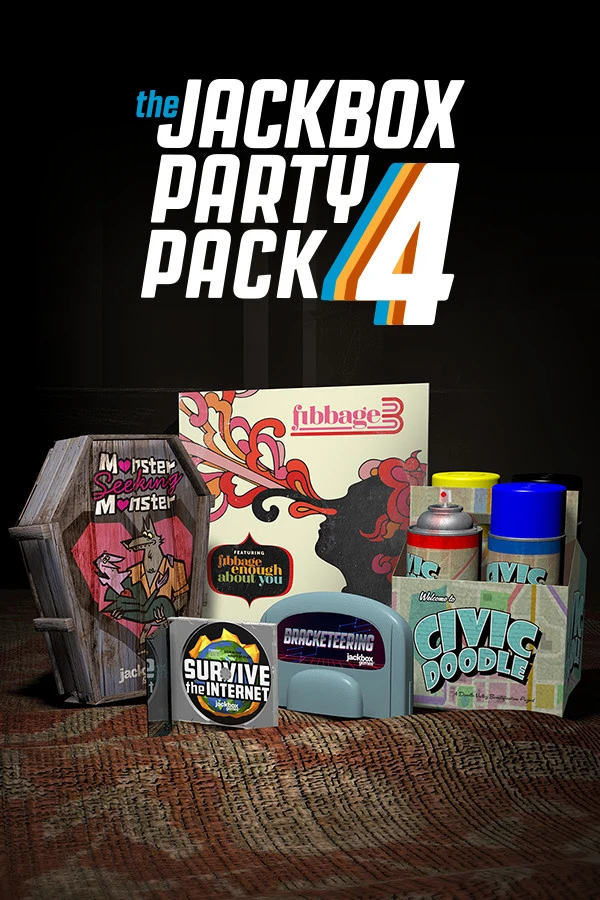
The biggest and fourthiest addition to this storied party game franchise features not five but FIVE AND A HALF crowd-slaying games!
Fibbage 3 (2-8 players)
The blanking fun sequel. Play all-new question types and the game mode Fibbage: Enough About You (3-8 players). Guess the weird facts about your friends.
Survive the Internet (3-8 players)
The web-based frame game. Twist your friends’ “online” comments in hilarious ways.
Monster Seeking Monster (3-7 players)
The spooky date-a-thon game. Message and date fellow monsters with special powers.
Bracketeering (3-16 players)
The deranged debate match game. Place smart bets on stupid arguments.
Civic Doodle (3-8 players)
The one-up art game. Compete to improve the town murals.
Play using your phones, tablets or computers. No extra controllers needed!
Plus EVEN MORE features just for streamers!
NOTE: The Jackbox Party Pack 4 is in English only.
NOTE: The game is local multiplayer but can be enjoyed over streams with remote players.
How to Play Remotely
Players use any web-enabled device (like a smartphone or tablet) to join the game and play along. When playing with remote players, you can use a video conferencing tool like Zoom, Steam Broadcast, Google Hangouts, Discord, and more to connect with others! Just share your screen while on a call and make sure you look for prompts to share audio.