![]() StellarDrive
StellarDrive
 StellarDrive
Details
 |
|
| Playtime | Not Played |
| Last Activity | Never |
| Added | 02/10/2025 2:20:42 |
| Modified | 26/03/2026 21:14:02 |
| Completion Status | Not Played |
| Library | Itch.io |
| Source | itch.io |
| Platform | PC (Linux) PC (Windows) |
| Release Date | 31/12/2049 |
| Community Score | |
| Critic Score | |
| User Score | |
| Genre | Simulation |
| Developer | Curious Owl |
| Publisher | Curious Owl Games |
| Feature | Co-op Family Sharing Multi-Player Online Co-Op Single-player |
| Links | Store Page PCGamingWiki |
| Tag | 3D Crafting Exploration Multiplayer Physics Procedural Generation Sci-fi Simulation Singleplayer Space Space Sim |
Description
This is an old prototype of my game. It will have a full release that you can wishlist!

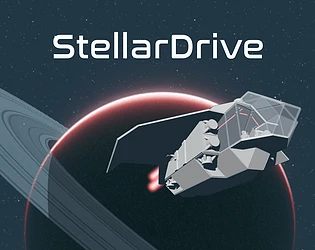
Gather materials, build a spaceship and explore procedural worlds. This game prototype has the following features:
- Spaceship-building system using panels, cables & levers
- Realistic gravity simulation and planetary rotations
- 2 planets, a moon and a ring system to explore
- 1-4 players online co-op
- Beautiful programmer art
- Many bugs that I'm aware of and probably many more that I'm not
My goal is to create a seamless spaceship-building game where you manage fuel, oxygen, and warp capabilities to travel across the vast distances of a galaxy. If you want to follow along with the game's development, you can check out my social media:
- Discord: https://discord.gg/adA8nqqJ49
- Bluesky: https://bsky.app/profile/curiousowldev.bsky.social
- Ko-fi: https://ko-fi.com/curiousowl
- Reddit: https://www.reddit.com/user/a-curious-owl/
Requirements
GTX 1050 or higher
Laptops with integrated graphics will have a hard time with this game. Intel iGPUs are not supported.
Installation
Download the zip file, extract and launch StellarDrive.exe
Controls
While walking
- TAB: Open inventory
- 12345: Select tool
- L. Click: Use tool
- R. Click: With the build tool selected, opens the build menu
- F: Interact with ship part
While piloting
- Mouse: Change direction
- Q: Roll left
- E: Roll right
- Middle Mouse Click: Toggle free-look mode
While in EVA (outside in space)
- WASD: Horizontal controls
- Space: Move up
- Ctrl: Move down
Frequently Asked Questions
I can't see the planet or the trees. What's going on?
If you're running the game on a laptop, this is probably due to a bug with Intel iGPUs. There's nothing you can do right now, unfortunately.
Can I play creative?
Yes. Enable the dev tools in the options menus. After that, press F1 for fly mode and F2 for free resources. You can adjust the fly speed with the scroll wheel.
Where are my saved files located?
C:\Users\(YOUR_USER)\AppData\LocalLow\CuriousOwlGames\StellarDrive\saves
Is there a roadmap?
No, but you can check the Discord server for frequent updates on the game.