![]() Party Project
Party Project
 Party Project
Details
 |
|
| Playtime | Not Played |
| Last Activity | Never |
| Added | 04/05/2025 20:16:17 |
| Modified | 27/03/2026 2:07:50 |
| Completion Status | Not Played |
| Library | Itch.io |
| Source | itch.io |
| Platform | PC (Windows) |
| Release Date | 30/06/2022 |
| Community Score | |
| Critic Score | |
| User Score | |
| Genre | Card & Board Game Indie Strategy |
| Developer | Char |
| Publisher | |
| Feature | Co-Operative Multi-Player Single-player Split Screen |
| Links | Store Page PCGamingWiki |
| Tag | 2D Board Game Casual Construct 2 Co-op Demake Fangame Minigames Party Game Strategy Versus |
Description
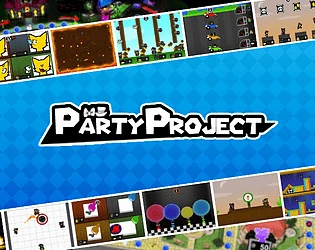
A work in progress party game
Featuring:
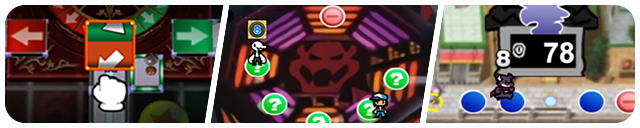
30+ boards, many remixed classics and a few originals
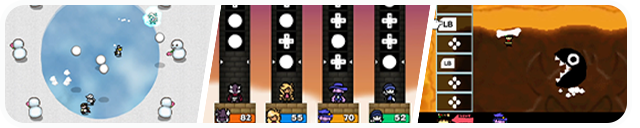
and over 100+ minigames!

- Home - Return to main menu
- F2 - Reload last saved turn of Board Match / last round of Tournament Mode
- Use to view previous game's results if they were skipped
- F11 - Fullscreen
- F12 - Screenshot

- Char - Project Lead | Programming | Art | Design
- Desenacre - Programming Help | Sue Stickers, Bowser Parade, Minigame Art | Design | Playtesting
- Sketch - Design
- Dest - Programming Help | Playtesting
- Moola Mixtape - Playtesting
- Mike - Maphee Stickers, Side Profile Vectors, Item Art | Starlight Sanctuary Design and Board Art | Playtesting
- CheetoDeeto - Mary Stickers, Bowser Parade, Minigame Art | Bellhorn City Board Art | Playtesting
- Flomino - Croc Sticker Art | Playtesting
- theJAMARK1 - Bracket Sticker Art | Design | Playtesting
- A Bit of Epicness - Sticker, Minigame Art | Playtesting
- LinguineBruh - Sticker Art | Design | Playtesting
- BlueLonerWolf - Playtesting
- Salad1021 - Sticker Art | Playtesting
- Typhloquil - Bowser Parade, Minigame Art | Puffy Paradise Design and Board Art | B.O.O.M Corporation Design and Board Art | Playtesting
- Natsuyo - that one dk | Design | Playtesting
- Exsio Picore - Vern's Dreamland Board Art
- Amby - Cereal Sprites and Stickers | Latency Lobby board art
- David Doodles - Whomp Sprites
- DTJ - Playtesting
Music
- BlueLonerWolf
- Mary Victory Theme
- Starlight Sanctuary Theme (+ Final Five Variant)
- Bellhorn City Theme (+ Final Five Variant)
- Desenacre
- Sue Victory Theme
- DSC
- Luigi's Engine Room Cover (from "Mario Party Medley")
- IsanaRemix
- Toad's Midway Madness Remix
- Nico Mendoza Music
- Mario's Rainbow Castle Cover
- ParabeetleX
- Final Fantasy 4 - Boss Theme (Superstar Saga Style)
- Razerek
- Latency Lobby Theme (from "Dragon March")
- SaGa!
- Bowser's Pinball Machine Cover
- Salad1021
- Croc Victory Theme
- B.O.O.M Corporation Theme (from "Bomb Blasters") (+ Final Five Variant)
- ThaddeusSilva
- Wiggler's Garden Remix
- ThunderScott
- Creepy Cavern Cover (from "Mario Party 3 Medley")
Guest Characters
- Bracket belongs to theJAMARK1
- Croc belongs to Flomino
- Sue belongs to Desenacre
- Maphee belongs to Mike
- Mary belongs to CheetoDeeto
- Cereal belongs to Amby

| Minigame Name | Best Record | Held By | Note |
| Block Drop | 201 pts | Natsuyo | |
| Cavity Calamity | 23 rounds | Char | |
| Circuit Maximus | 0'15"75 | Char | |
| Cloud Climb | 174m | LinguineBruh | |
| Crank to Rank | 0'03"48 | LinguineBruh | |
| Dig It! | 0'13"90 | LinguineBruh | |
| Dragster | 0'11"00 | Flomino | |
| Fireball Frenzy | 1'02"99 | Natsuyo | *Endless variant in Free Play |
| Frisbee Toss | 52.0m | Natsuyo | |
| Iron Cannons | 56 rounds | Char | *Endless variant in Free Play |
| Order Up! | 14 pts | Salad1021 | |
| Root Rush | 305 pts | Natsuyo | |
| Shock Absorbers | 36 rounds | Char | *Endless variant in Free Play |
| Triple Jump | 37.4m | LinguineBruh | |
| What Goes Up | 0'20"36 | Char |

Q: Is there online play?
A: There is no built-in online. Online can only be done through Parsec or other remote desktop apps.
Q: Is there mod support?
A: Custom characters are possible as of v0.95. A template can found in the Download section below and a tutorial HERE.
Custom boards can be made through an UNOFFICIAL tool, found HERE.
Q: Will there be custom minigames?
A: No.
Q: Will there be 1V3 minigames?
A: No.
Q: Will there be a mobile port?
A: No. It can be played on mobile through the browser.
Q: My controller isn't working?
A: The engine is only built to accept XINPUT controllers. If you're using anything other than an XBOX controller you need special drivers or can try Steam Input by running Party Project as a non-steam game.
Q: Is there a Discord?
A: Discord can be found HERE.
---------------------------------------------
Gamepad HIGHLY Recommended
Gamecube Controller Setup
- Install Delfinovin to have it read as an xinput controller
- Remap the buttons in the 'Controller Config' menu